
WiFi Security Settings: Essential Steps to Protect Your Home Network

Change the SSID
The default Service Set Identifier (SSID) provided by your Internet Service Provider can often be linked to the manufacturer of your router. This could potentially make it easier for hackers to identify known vulnerabilities and target your network. It’s best to rename your SSID to something more generic that doesn’t reveal personal information.
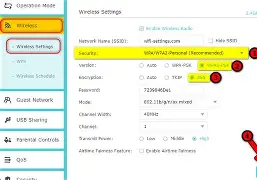
Enable WPA2 Encryption
WPA2 encryption is crucial for protecting your Wi-Fi network. This protocol encrypts all data transmitted over the network, making it difficult for attackers to intercept and read sensitive information. Make sure that you’ve enabled WPA2 on your router settings.
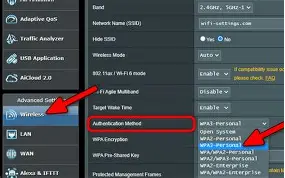
Set a Strong Password
Use a strong, unique password for your wireless network. This should include a mix of uppercase and lowercase letters, numbers, and special characters. Avoid using personal information that can be easily guessed or linked to you.
Regularly Update Your Router’s Firmware
Manufacturers frequently release updates to fix vulnerabilities and improve security for their routers. Make sure you regularly check for and install these updates to keep your network protected.
Limit Access with MAC Address Filtering
MAC address filtering allows you to restrict access to your network by only allowing devices with specific MAC addresses to connect. While this isn’t foolproof, it can help prevent unauthorized users from gaining access to your Wi-Fi.
Monitor Your Network Traffic
Keep an eye on network traffic to detect any unusual activity that might indicate a security breach. There are various tools and software available for monitoring network traffic, such as Wireshark or SolarWinds.