WiFi Security: All About WPA PSK (Pre-Shared Key)
In this article, we’ll delve into one of the fundamental mechanisms that secure your Wi-Fi network – WPA PSK (Wi-Fi Protected Access Pre-Shared Key).
What is WPA PSK?
- A security method used to protect wireless networks, commonly used in home and small office environments due to its ease of setup and management.
- Involves creating a pre-shared key (password or passphrase) that is entered into both the wireless access point (router) and client devices (laptops, smartphones, etc.).
- Authentication and data transmission are secured using this pre-shared key through an encryption process.
How to Set Up WPA PSK or WPA 2PSK on Your Router
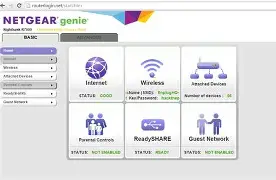
1. Access the router’s administration settings through a web browser.
2. Select WPA PSK or WPA 2PSK as the security type.
3. Enter a strong, unique passphrase (8 to 20 characters with a mix of upper and lower case letters, numbers, and special characters).
WPA vs. WPA 2PSK
- While both methods provide network security, WPA 2PSK is more secure due to the use of the Advanced Encryption Standard (AES) for encryption.
- A weak password can leave your network vulnerable to attacks like the crack attack, which exploits weaknesses in the four-way handshake process used by WPA 2.
Other Wireless Security Protocols
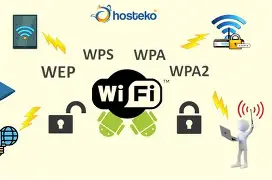
Before WPA, WEP (Wired Equivalent Privacy) was the earliest security protocol for wireless networks. However, it had vulnerabilities and is no longer used in modern routers.
The more secure alternative is WPA, which uses a stronger encryption method called TKIP (Temporal Key Integrity Protocol).
For even stronger security, consider upgrading to the latest standard – WPA3.
WPS (Wi-Fi Protected Setup)
WPS is another method for simplifying the setup process, but it has vulnerabilities and should be disabled or used with caution.

Conclusion
Securing your Wi-Fi network is crucial to protect your data and devices. By understanding the different wireless security protocols and best practices, you can ensure that your network stays safe from unauthorized access and attacks.