
Wifi Security Key Not Working: 5 Steps to Fix
Hi everyone, Josh here. In today’s tutorial, we’ll walk you through how to connect to your Wi-Fi network when the error “The security key isn’t correct” appears.

Step 1: Check if the Wi-Fi Key is Correct
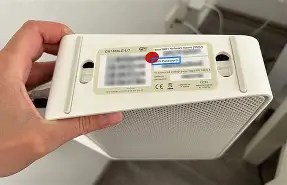
Before proceeding, make sure that you are entering the correct Wi-Fi key or password. The password can usually be found on your Wi-Fi router or in the materials provided when your internet was installed.
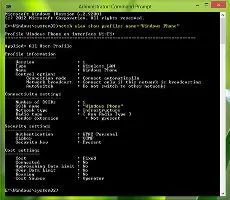
Step 2: Forget and Reconnect to the Network
If you’re still having trouble connecting, try forgetting the network and then reconnecting. This can help resolve any temporary issues with the connection.
Step 3: Toggle Airplane Mode
Another solution is to toggle airplane mode on and off. This can help your device reconnect to the network with a fresh connection.

Step 4: Restart Your Device
If none of the above solutions work, try restarting your device. This can help resolve any software or hardware issues that may be causing the problem.
Step 5: Contact Your Internet Service Provider
If you’re still unable to connect, it may be an issue with your internet service provider. In this case, contact them for assistance.
We hope these steps help you resolve the “The security key isn’t correct” error and get your Wi-Fi connection up and running again! Let us know in the comments which solution worked for you so that we can help the community out.