
WiFi Security Options: Enhance Your Network’s Protection

Understanding Wi-Fi Security Protocols
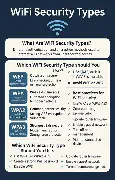
Over the years, several wireless security methods have been developed and improved to protect your Wi-Fi network. In this article, we will discuss WEP, WPA, WPA2, WPA3, and WPS.
WEP (Wired Equivalent Privacy)
Developed in 1999, Wired Equivalent Privacy (WEP) was the earliest security protocol used for wireless networks. Its main goal was to provide the same level of security as wired networks.
WPA (Wi-Fi Protected Access)
Due to WEP’s vulnerabilities, a better solution was needed, and that brings us to WPA (Wi-Fi Protected Access). This protocol uses the Temporal Key Integrity Protocol (TKIP) for encryption.
WPA2
As WPA had some vulnerabilities, a more secure solution was developed: WPA2. It requires the use of a stronger encryption method to provide even stronger security than WPA.
WPS (Wi-Fi Protected Setup)
WPS is another feature that aims to simplify the Wi-Fi connection process by providing a button on your router or a PIN code for quick setup. However, it can also introduce security risks if not properly configured.
Securing Your Home Wi-Fi Network

By following these simple steps, you can significantly improve the security of your home Wi-Fi network:
- Change the default SSID (Network Name). Avoid using personal or identifiable information.
- Set a strong and unique password for your router’s administration interface.
- Enable WPA3 if supported by your router. If not, use WPA2 as a minimum.
- Disable WPS (Wi-Fi Protected Setup) if possible or configure it securely.
- Regularly update the firmware of your router for the latest security patches.
Stay Safe Online
Always remember to keep your Wi-Fi network secure and up-to-date. With these tips, you can protect yourself from potential threats and enjoy a safer browsing experience.